



The Smart Way to Invest in Gold Starts Here
Experience the ease gold investing with Bank Islam Gold Account-i (BIGA-i), accessible anytime via BIMB Mobile and BIMB Web. Whether you're starting your first investment or diversifying your portfolio, our digital platform gives you full control anytime, anywhere.
Start Your Gold Journey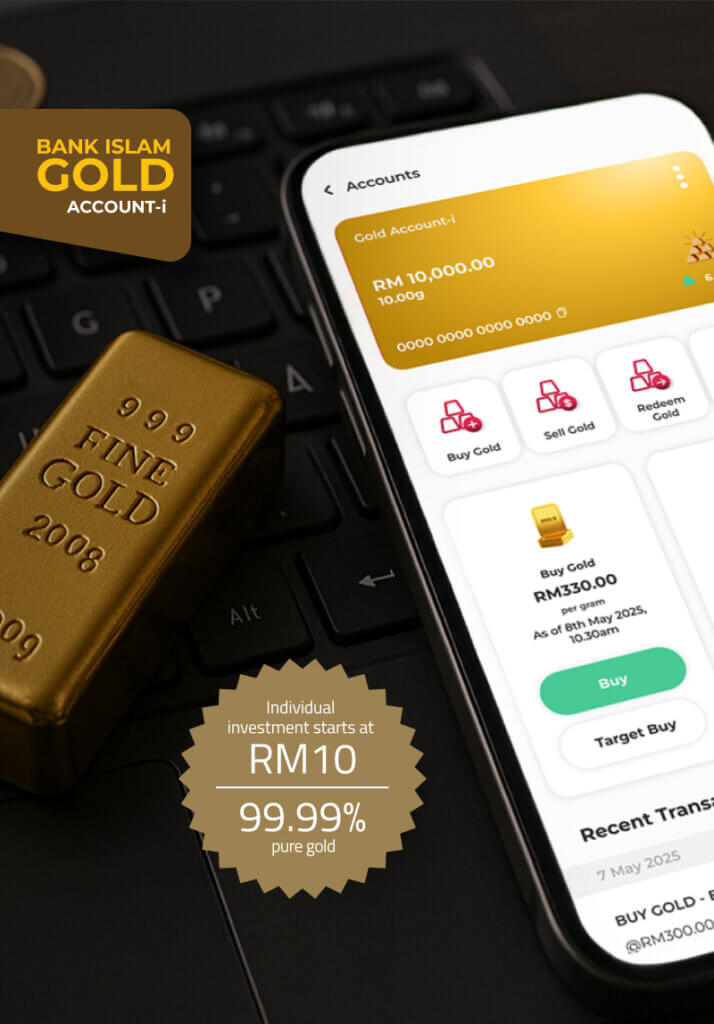
The smart way to invest in gold starts here
Experience the convenience of investing in gold with Bank Islam’s Gold Account-i, now fully accessible via BIMB Mobile and BIMB Web. Whether you're starting out or diversifying your portfolio, our digital platform gives you full control anytime, anywhere.
Start Your Gold JourneyWhat You Can Do
With BIMB Mobile & BIMB Web, investing in gold is easier than ever. Manage your gold on the go with these features
View Account
Buy & Sell Gold
Statement Account

Open Gold Account
Why Use BIMB Mobile & BIMB Web for Your Gold Investment?
Seamless digital experience
Flexible management

Start small, grow big
Shariah-Compliant Investment
How to Start Investing?
Ready to grow your wealth with gold? Follow these simple steps:
Open a Bank Islam Account
Register for BIMB Mobile or BIMB Web
Open your BIGA-i via BIMB Mobile/BIMB Web
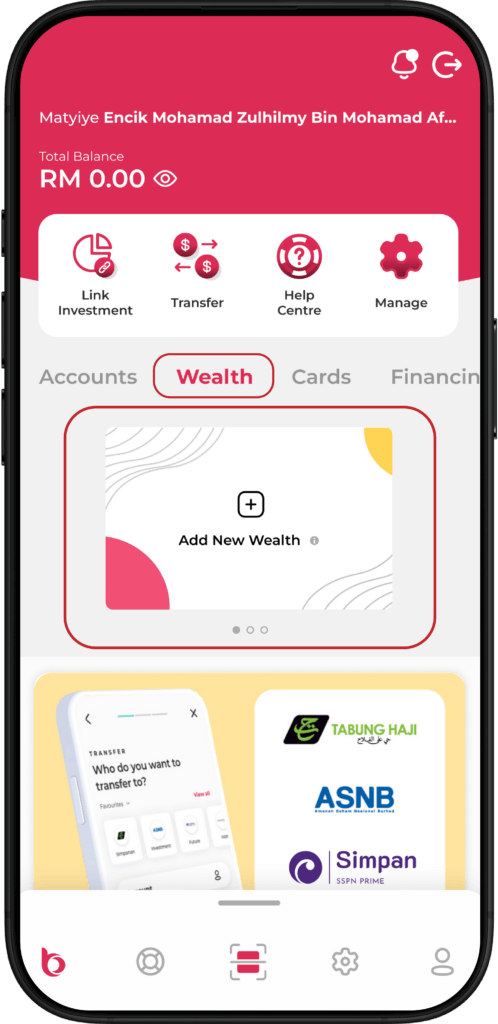
Open BIMB Mobile and navigate to Wealth > Add New Wealth.
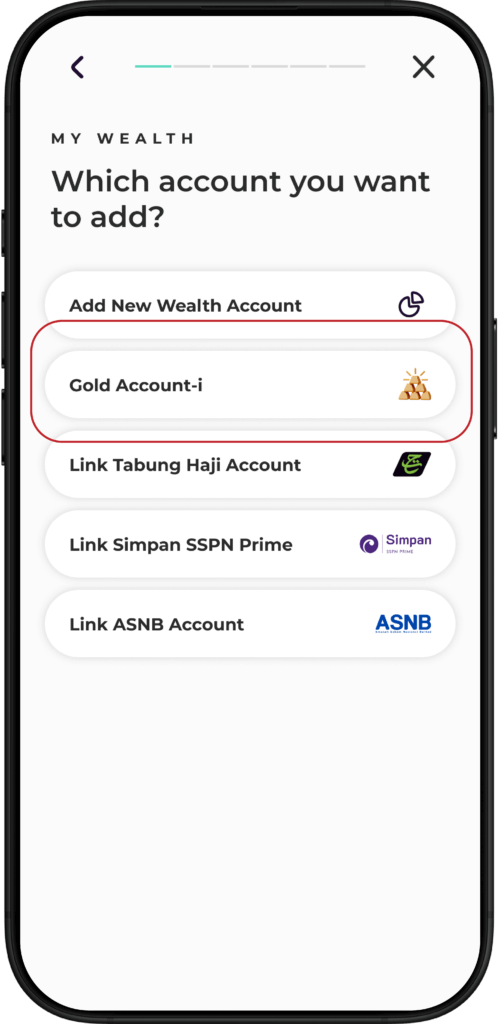
Select Gold Account-i.
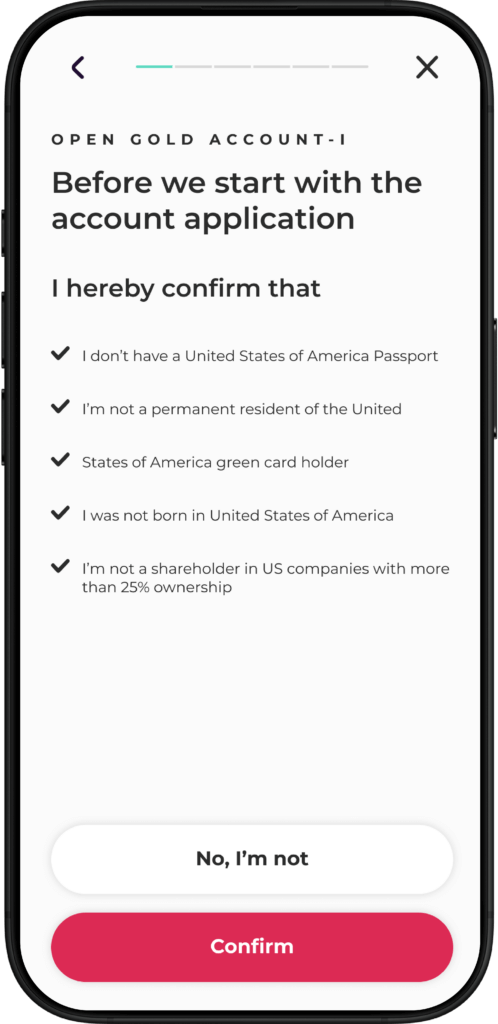
Confirm your status as a
non-US person
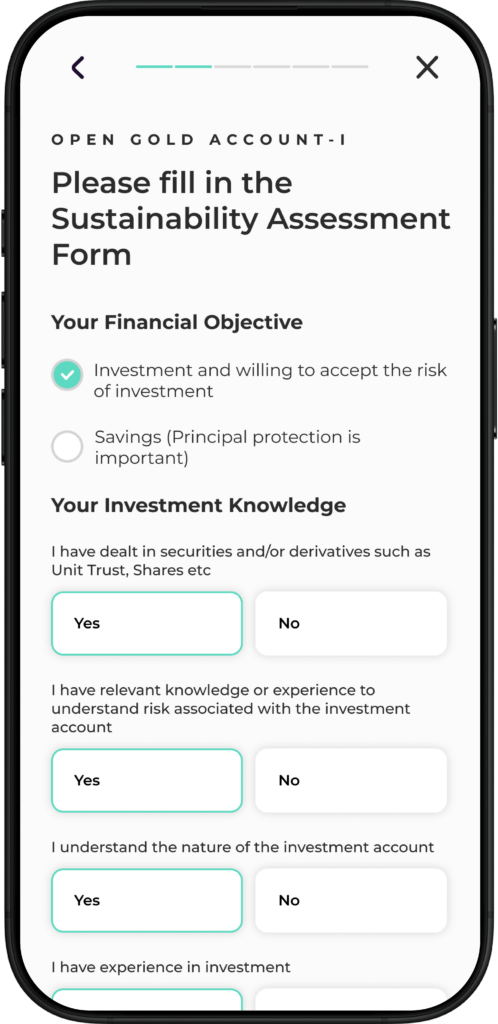
Complete the Suitability Assessment Form and tap Continue.
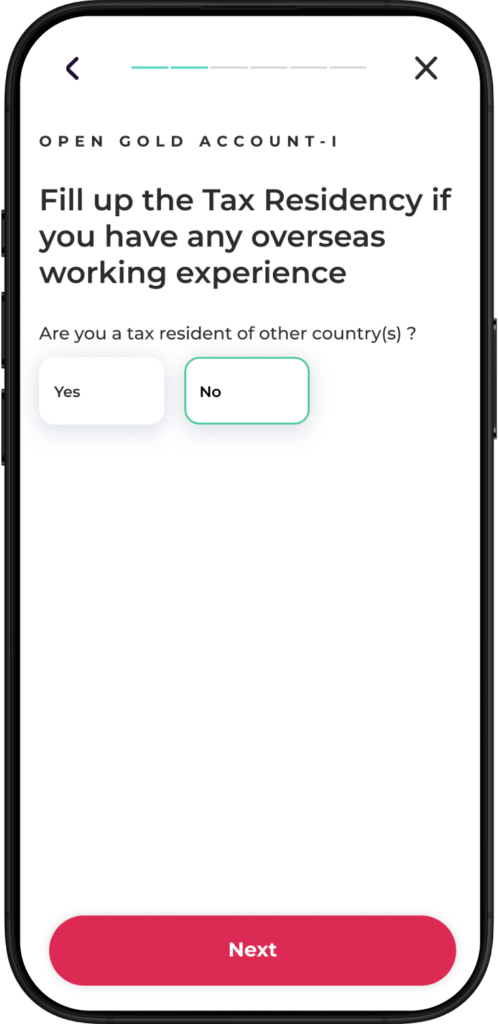
Add your tax residency details and tap ‘Next’
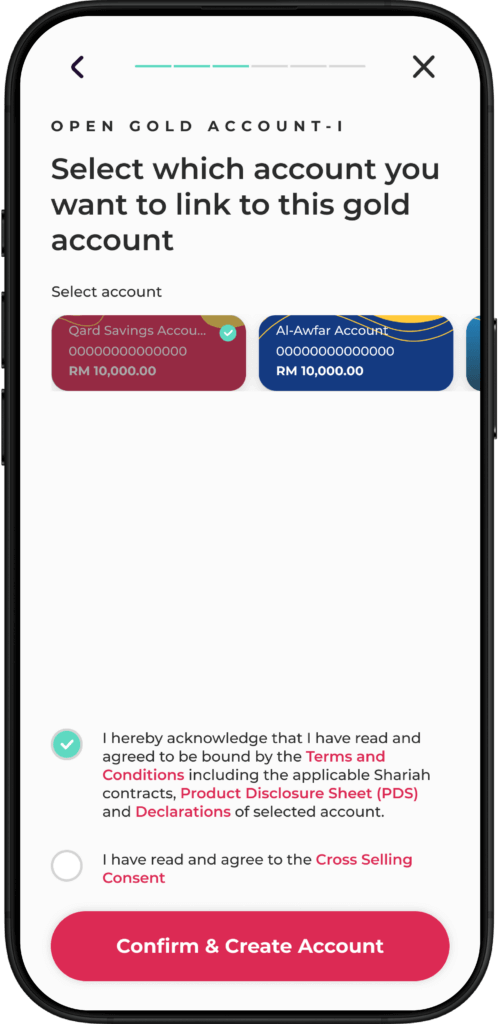
Select the account to link for funding your Gold Account-i, then tap Confirm & Create Account.
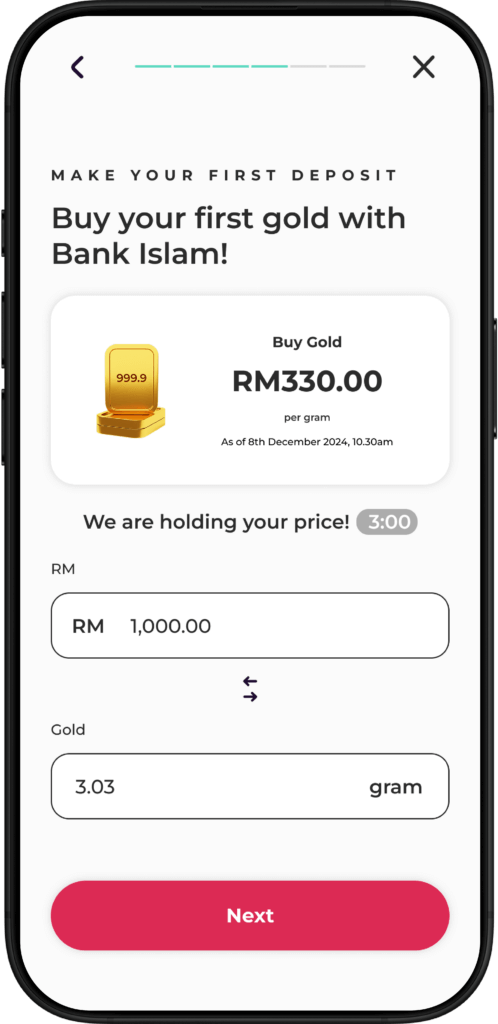
Your account is now ready! Tap Buy your first gold to proceed. Enter the amount or grams of gold you wish to purchase, then select funding account and tap Next.
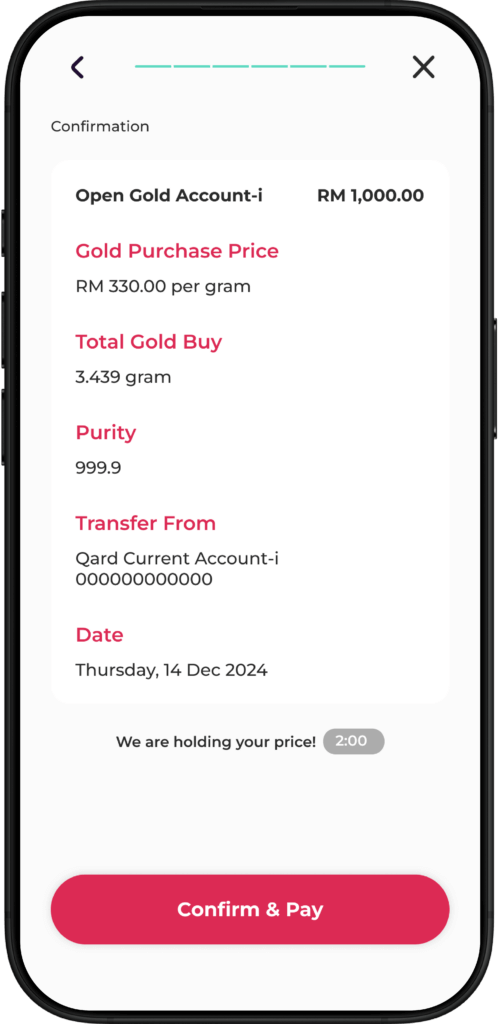
Review the purchase details and tap Confirm & Pay. Authorise the transaction in BIMB Secure.
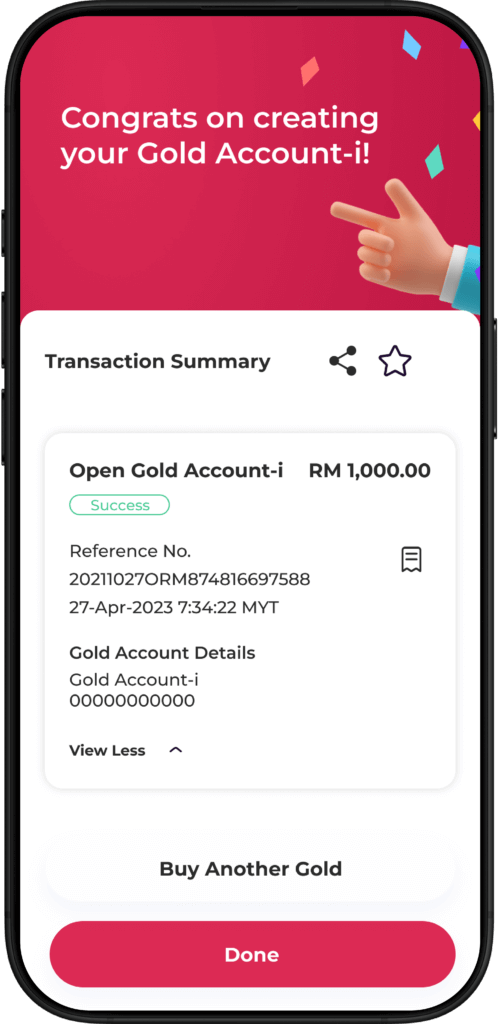
Congratulations! You’ve successfully opened your Gold Account-i.
Purchase gold via BIMB Mobile
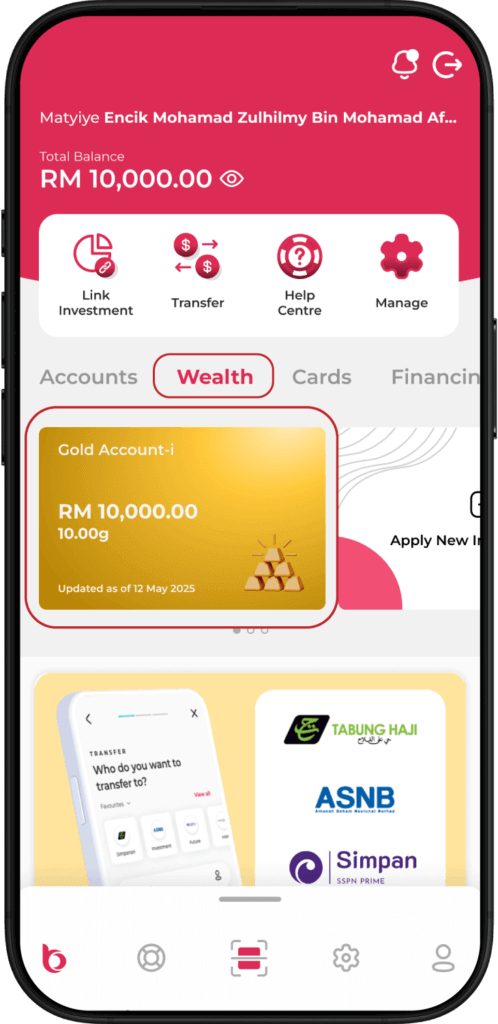
Launch the BIMB Mobile app and navigate to Wealth > Gold Account-i.
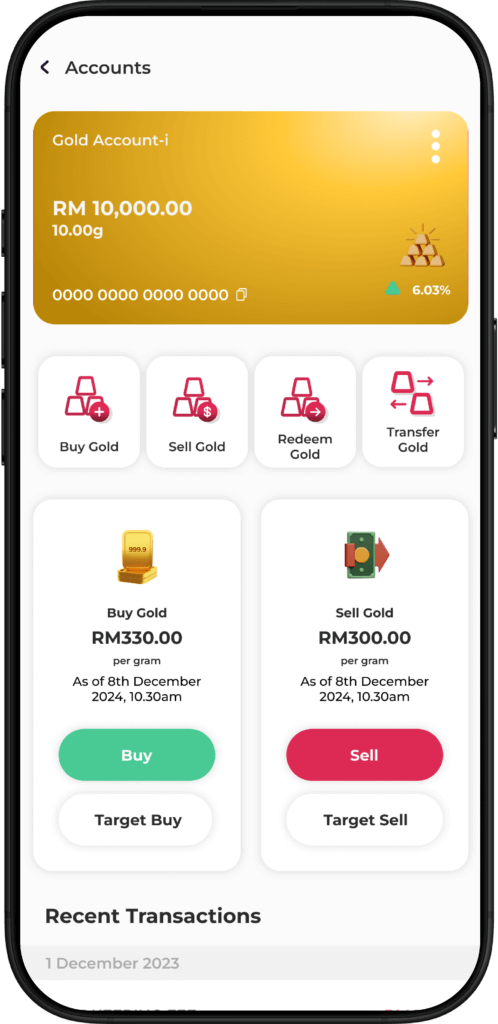
Tap Buy Gold or Buy.
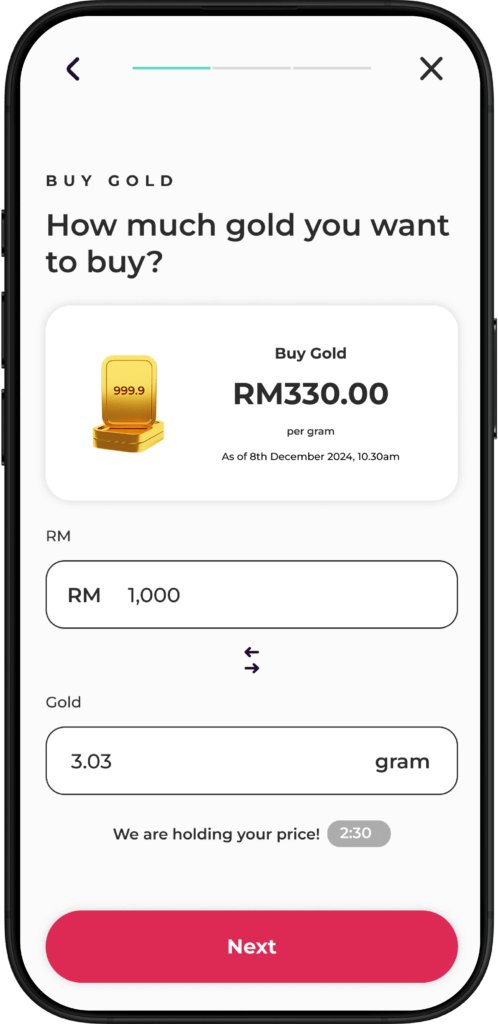
Enter amount in RM or grams. Select your funding account and tap Next.
Review the purchase details and tap Confirm & Pay. Authorise the transaction in BIMB Secure.
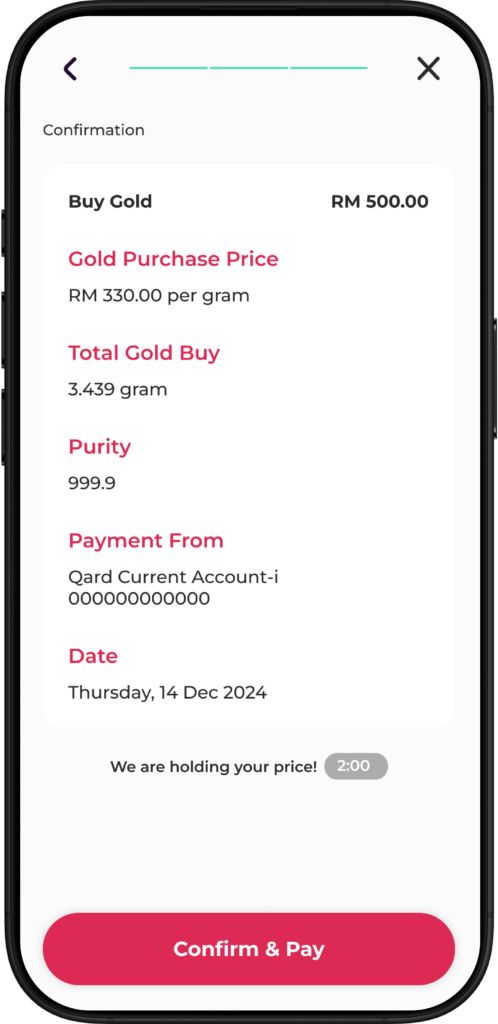
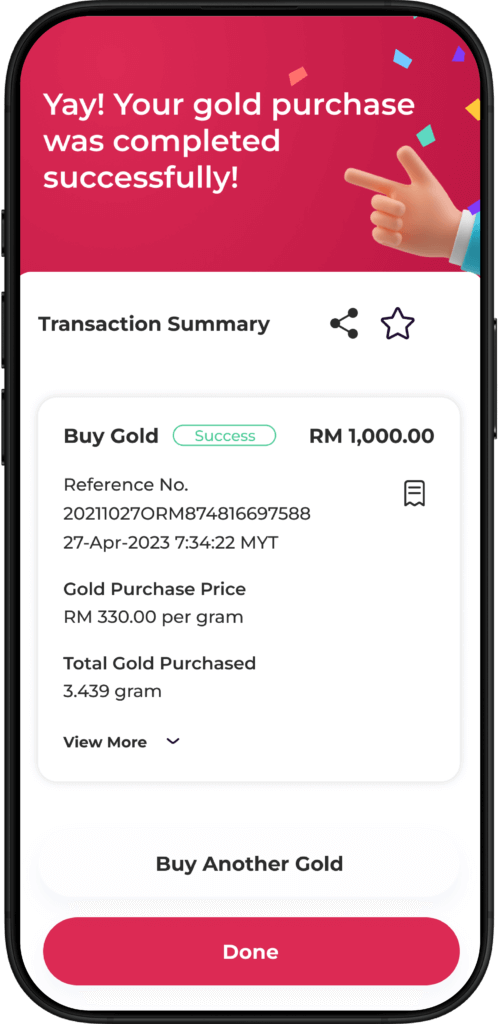
Done!
Your gold purchase is complete.
Sell your gold holdings via BIMB Mobile
Launch the BIMB Mobile app and navigate to Wealth > Gold Account-i.
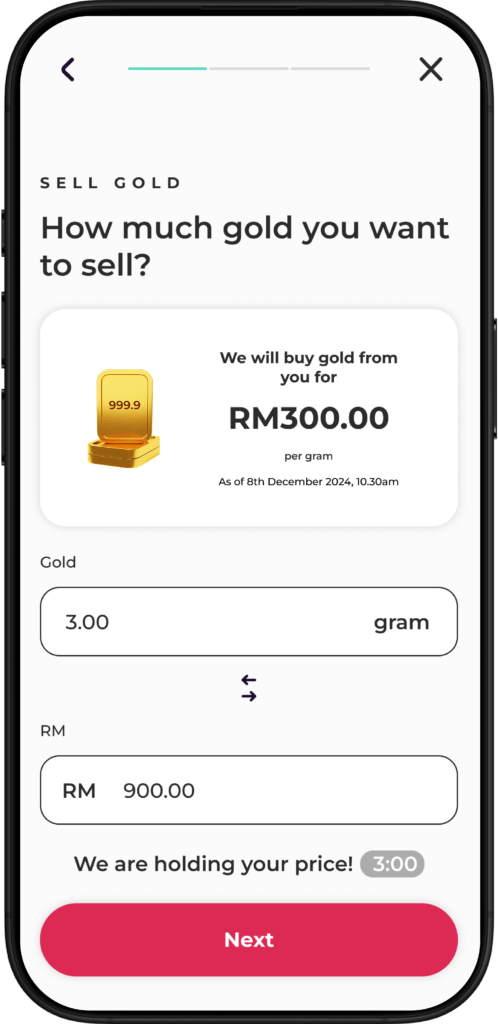
Tap Sell Gold or Sell.
Enter amount in RM or grams. Select the account where you wish to receive the funds.
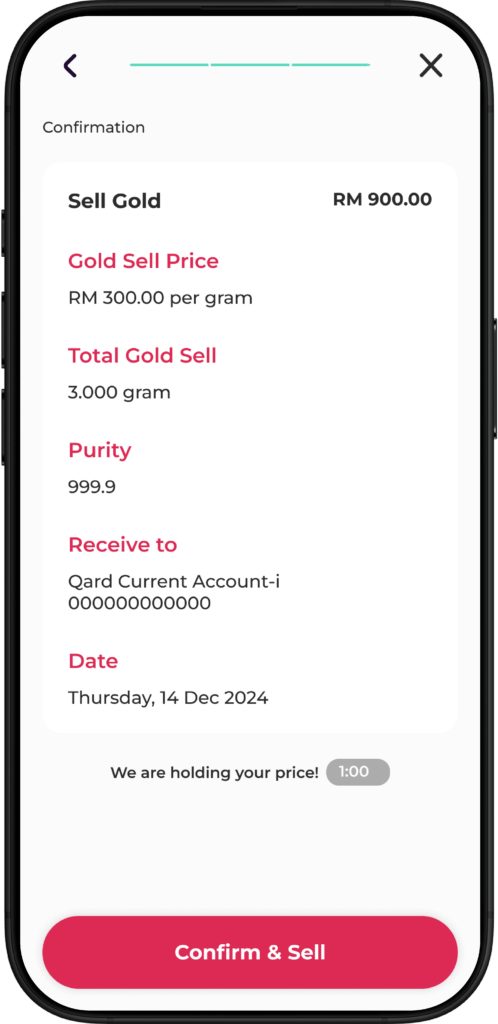
Review the transaction details and tap Confirm & Pay. Authorise the transaction in BIMB Secure.
Done!
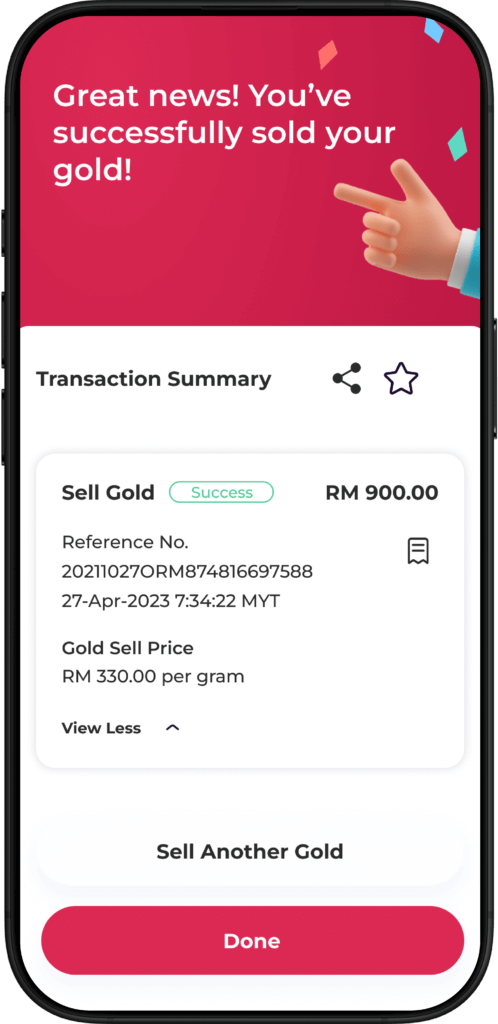
Your gold sale is complete.
Opening a Bank Islam Gold-i Account via BIMB Mobile
Open BIMB Mobile and navigate to Wealth > Add New Wealth.
Select Gold Account-i.
Confirm your status as a
non-US person
Complete the Suitability Assessment Form and tap Continue.
Select the account to link for funding your Gold Account-i, then tap Confirm & Create Account.
Our account is now ready! Tap Buy your first gold to proceed. Enter the amount or grams of gold you wish to purchase, then select funding account and tap Next.
Review the purchase details and tap Confirm & Pay. Authorise the transaction in BIMB Secure.
Congratulations! You’ve successfully opened your Gold Account-i.
Buying Gold on BIMB Mobile
Launch the BIMB Mobile app and navigate to Wealth > Gold Account-i.
Tap Buy Gold or Buy.
Enter amount in RM or grams. Select your funding account and tap Next.
Review the purchase details and tap Confirm & Pay. Authorise the transaction in BIMB Secure.
Done!
Your gold purchase is complete.
Selling Gold on BIMB Mobile
Launch the BIMB Mobile app and navigate to Wealth > Gold Account-i.
Tap Buy Gold or Buy.
Enter amount in RM or grams. Select the account where you wish to receive the funds.
Review the transaction details and tap Confirm & Pay. Authorise the transaction in BIMB Secure.
Done!
Your gold sale is complete.
Frequently asked questions
To access BIMB Web, you need to register as a user. Please refer to the How to Use section in the Help Centre at https://www.bimb.com/ for the steps to register.
Yes, you can access Individual and Joint Accounts through BIMB Web, which can be obtained via https://www.bankislam.com/.
However, to access your Sole Proprietor Account, you must:
- Apply for a separate Bank Islam Debit Card-i linked to the Sole Proprietor Account, and
- Register separately for BIMB Web access using that card.
To ensure seamless and secure experience when using BIMB Web, we recommend the following minimum system and browser requirements:
- Minimum Browser Requirements
BIMB Web is supported on the following browsers:
- Google Chrome: Version 29 and above.
- Mozilla Firefox: Version 27 and above.
- Microsoft Edge: Version 12 and above.
- Apple Safari: Version 7 and above (for macOS and iOS users).
These browsers must support modern web standards and JavaScript.
- Recommended Browsers for Best Viewing Experience
For optimal performance and compatibility, it is highly recommended to use the latest versions of:
- Google Chrome
- Microsoft Edge
- Minimum System Requirements
- Desktop/Laptop:
- Operating System: Windows 10 or macOS Catalina and above.
- Browser: Any of the supported browsers listed above.
- Individual accounts
- Joint accounts - your ability to make transfers is subject to the joint account mandate
- Trust accounts - access is currently limited to Primary Account Holder (parent or guardian); beneficiary access will be enabled in the future
- Sole Proprietorship accounts
Unlock the power of gold with Bank Islam’s Gold Account – BIGA-i, your gateway to smart and secure gold investment. Through BIMB Mobile, customers can now open a gold account online, buy and sell gold instantly, and monitor gold prices in real-time — all from the comfort of your home. Whether you’re planning to diversify your portfolio or start your first investment, the Bank Islam Gold Account makes gold savings convenient and Shariah-compliant. With competitive pricing, 24/7 access, and a seamless user experience, open your gold account via BIMB Mobile today and begin your journey with confidence. Buy gold with Bank Islam, track performance, and sell when the price is right — all through one trusted Islamic banking platform.