



Enhanced security for your peace of mind

Our security features help protect your financial information and transactions, so you can bank online with ease.

How to approve your transactions with BIMB Secure?

What type of transaction requires authentication through BIMB Secure?

  • All transactions performed via BIMB Mobile and BIMB Web
  • FPX transaction regardless any amount
  • Bank Islam Card-i online & eCommerce transaction
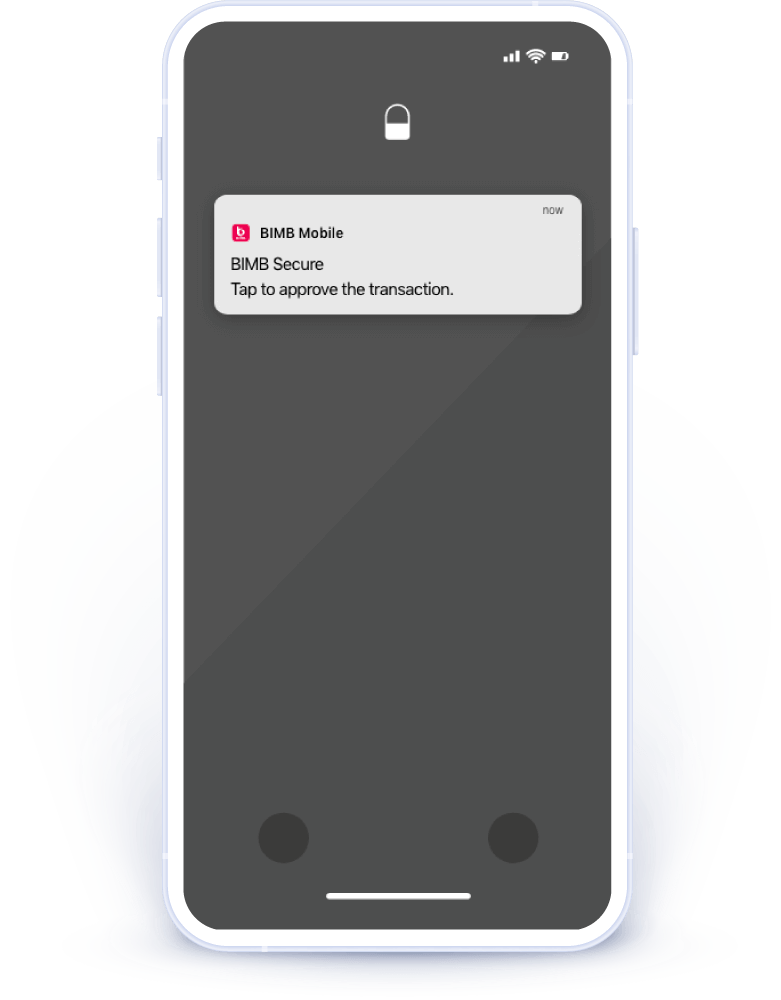
Step 1

For any BIMB Mobile or BIMB Web transaction that requires BIMB Secure authorisation, you’ll receive a push notification on your device
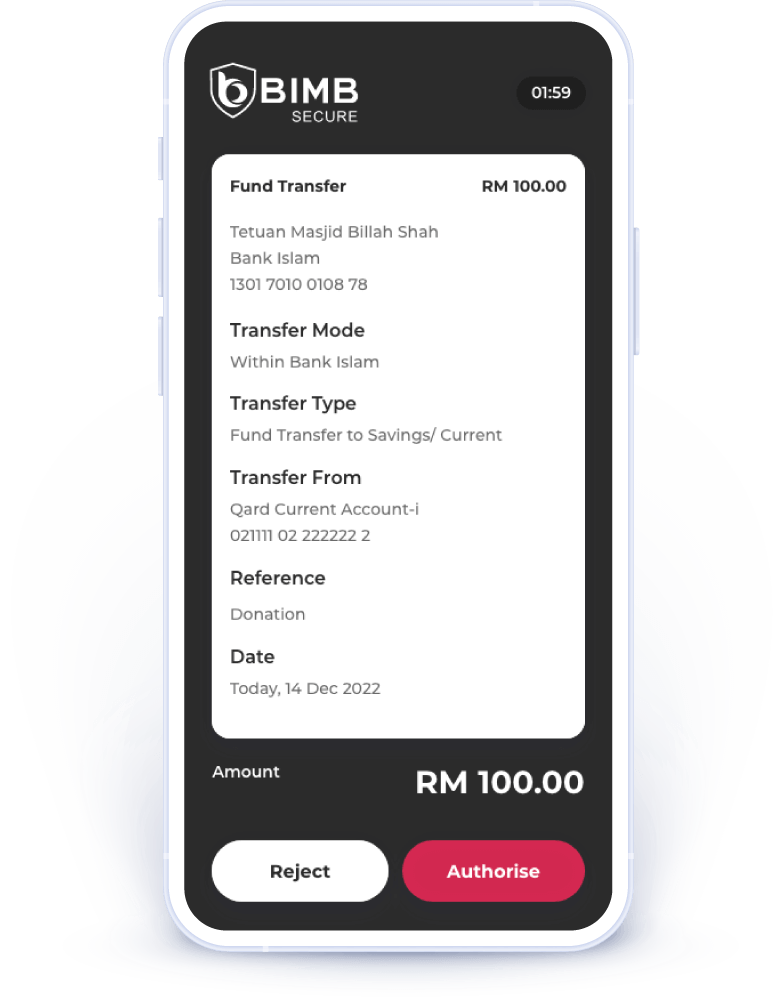
Step 2

Please verify that your transaction details are correct. If you did not request this transaction, reject it immediately.
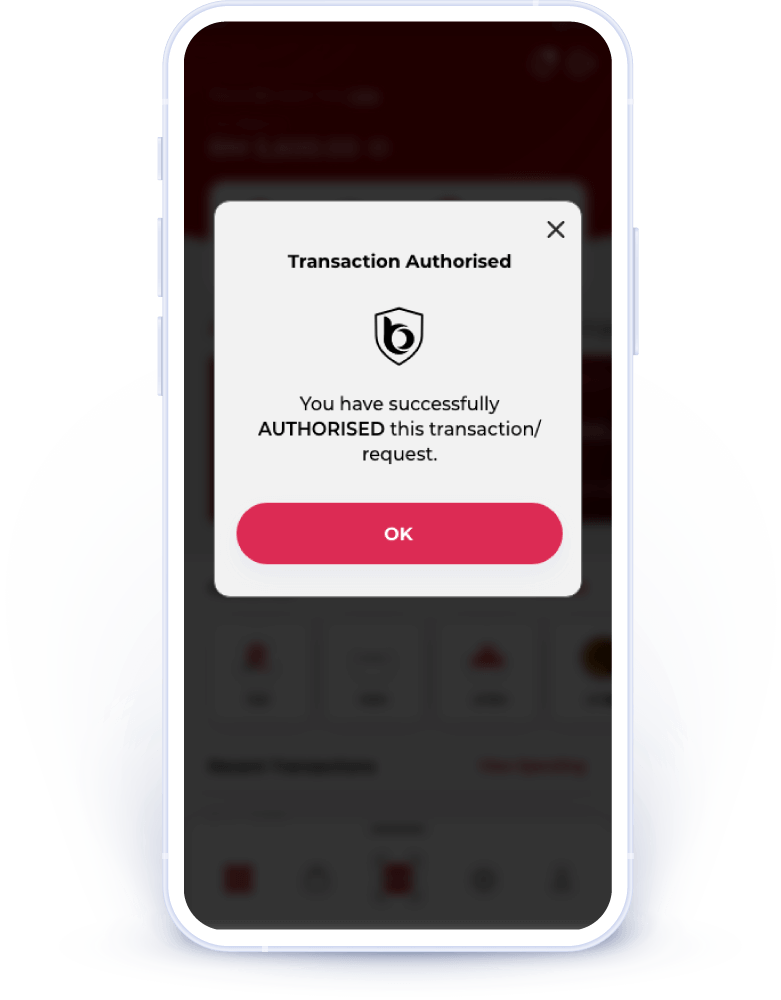
Step 3

You will see a confirmation message indicating that you have authorised this transaction. Please check your device to ensure the transaction is completed.

Frequently asked questions

  1. New individual customers (who do not have any existing accounts with Bank Islam) can open an account online via the BIMB Mobile app (version 1.9.1 and above).Before starting the onboarding journey, please ensure you have:
  • Your MyKad; and
  • An existing account with another bank to make the initial deposit via DuitNow Online Banking/Wallets (OBW).
  1. Existing individual customers may also open an additional account online through the BIMB Mobile.
How do I open an account online?

If you're a new customer, simply tap on "Open a Bank Islam Account" on the BIMB Mobile app's welcome screen to begin the account opening process. After your account is successfully opened, you may log in to BIMB Mobile or BIMB Web using the username and password you created during registration.

If you're an existing customer, you can also log in to BIMB Mobile or BIMB Web, then go to Account > Open New Account from the dashboard.

For a detailed step-by-step guide, visit: https://bimb.com/how-to-use.

What types of accounts can I open online?
Please click on button below to find out more on the accounts that can be opened online.
What is the initial deposit / placement to open an account online?
The minimum amount varies depending on account type details on the initial deposit/ placement amount for each account. Please click on button below to find out more.
When can I open an account online?
You can open an account online daily between 6:01am until 11:30pm (Malaysian time).
What web browsers are supported to open an account online?
Our online account opening is best viewed using Microsoft Edge, Google Chrome, Mozilla Firefox, Opera and Safari.
Do I need to upload any document to open an account?
  • For New Customers: Your MyKad is Currently, other identifications cards such as MyTentera, MyKid, MyPR, MyKAS and MyPolis are not accepted.
  • For Existing Customer: No documents are required.
How can I transfer the initial deposit/ placement?
  • For New Customers: You must have an existing account with another bank. The initial deposit/placement must be transferred from your own account via DuitNow Online Banking/Wallets (OBW) within thirty (30) days from the account creation date. Deposits from third-party or non-matching-name accounts will be rejected.
  • For Existing Customer: You can make the initial deposit only via own account transfer from your existing Bank Islam account within thirty (30) days from the account creation date.
What happens if I fail to transfer the initial deposit/ placement within 30 days?
Your account will be automatically closed if no deposit is made within 30 days from the date the account is successfully opened online.
Can a third-party (e.g., my parents) transfer the initial deposit/ placement to my new account?
  • For New Customers: No, the initial deposit / placement must come from your own account with another bank. Transfers will be rejected if the account's name differs from your name on MyKad.
  • For Existing Customer: You can make the initial deposit only via own account transfer from your existing Bank Islam account.
Can I transfer less than the initial deposit/placement?
No, you cannot proceed if your transfer amount is less than the initial deposit/placement.
How do I know whether my account is successfully opened online?
An acknowledgement page will appear online to confirm that your account has been successfully opened. The new account number will also be visible in the Account Summary dashboard when you log in to BIMB Web or BIMB Mobile.
Will I receive a verification code for online account opening?
  • For New Customers: You will be required to enter your mobile number during the account opening process. A 6-digit TAC (Transaction Authorization Code) will be sent to the registered mobile number for verification.
  • For Existing Customers: You will need to authenticate using BIMB Secure in BIMB Mobile to authorise the initial deposit/placement transaction.
Will I receive a new debit card for my new account?
  • Yes, you can request for a debit card in BIMB Mobile and it will be mailed to your delivery address. For existing customers specifically, you may also link to your existing debit card.

    If you need to replace your card (due to it being faulty, expired, etc), you can log in to BIMB Mobile or BIMB Web and select 'Debit Card Maintenance'. Please note that there is a fee for replacing a lost, stolen or damaged debit card. Please refer to www.bankislam.com for the relevant fees and charges.

How do I activate my new debit card?
You may activate your debit card by visiting the nearest branch or by logging to BIMB Mobile or BIMB Web, selecting ‘Debit Card Maintenance’ and then selecting ‘Debit Card Activation’.
I need help with my application. Who can I contact?

For instant assistance, connect with Chatbot Adam at www.bimb.com. You can also call our Contact Center at 03 2690 0900 or email us at contactcenter@bankislam.com.my.

What should I do if my initial deposit transaction fails or is rejected?

You can retry the deposit transaction within thirty (30) days from the account creation date. If you still face issues, connect with Chatbot Adam at www.bimb.com. You can also call our Contact Center at 03 2690 0900 or email us at contactcenter@bankislam.com.my for assistance.

Can I perform transactions immediately after opening the account?

For New Customers: Once the initial deposit has been made and your account opening process is successful, a 12-hour cooling-off period will apply from the time of that deposit, then you may only proceed with transactions.

For Existing Customers (with existing online banking access): Yes, you can perform transactions immediately after your account has been successfully opened.